opencode on a VPS
An open-source AI coding agent running full time on a small Ubuntu VPS with no HTTP port open to the internet. The web interface answers only through an encrypted SSH tunnel, and a single Makefile builds the whole thing.
- Self-Hosting
- AI Agent
- SSH Tunnel
- Ubuntu
Project Overview
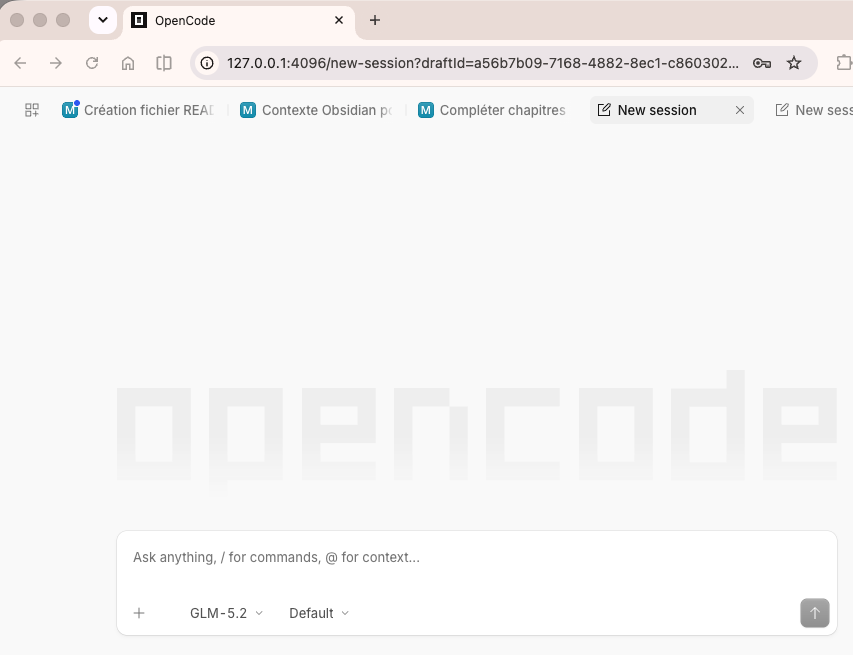
opencode is an open-source AI coding agent with a web interface. Running it on a server normally means publishing that interface to the internet and trusting whatever authentication it happens to ship with. This project takes the opposite route: nothing listens on a public port at all. opencode binds to 127.0.0.1 on the VPS, and the only way in is an encrypted SSH tunnel from a machine whose key is already on the box.
A 1 vCPU / 2 GB tier is enough, because opencode only makes outbound API calls — there is no model running locally and no GPU to pay for. The whole setup is a single Makefile, published with a step-by-step tutorial: one command takes a fresh Ubuntu 24.04 image to a hardened, working installation in 15 to 25 minutes, and day-to-day use is opening the tunnel and visiting a localhost address.
Key Features
- No Public Attack Surface
- opencode listens on 127.0.0.1 only. No HTTP or HTTPS port is exposed, and ufw denies everything inbound except SSH.
- One-Command Install
- A single target chains host checks, hardening, fail2ban, swap, security updates, the opencode install, a systemd service and an end-to-end test suite.
- Two Independent Locks
- Reaching the interface needs both an SSH key and a generated application password, so neither one on its own is enough.
- Per-Repository GitHub Access
- Deploy keys scoped to a single repository rather than account-wide tokens, so the server never holds credentials for the whole account.
- Provider-Agnostic
- Tested on Gandi, but nothing in it is provider-specific — Hetzner, DigitalOcean, Vultr, Scaleway, OVHcloud and Linode all work the same way.
Technical Highlights
- Makefile as Installer
- Every step is a target that can also be run on its own — harden, fail2ban, password, restart — with no undocumented manual configuration left over.
- Hardened Ubuntu 24.04
- Default-deny firewall, SSH password authentication disabled, fail2ban against brute force, a 2 GB swap file for the low-RAM tier and unattended security updates.
- Managed systemd Service
- The web interface runs as a service with a password generated by openssl, so it survives reboots without hand-holding.
- Verifiable Setup
- A test target re-checks each control in turn and prints a line-by-line OK/FAIL report, so the security posture is asserted rather than assumed.
Impact & Outcomes
- Documented Threat Model
- Each risk is listed against its mitigation — including the one deliberately left unmitigated: opencode runs shell commands as a passwordless-sudo user, so a compromised VPS is a compromised VPS.
- Reproducible in 15–25 Minutes
- Fresh cloud image to working agent in one sitting, the long pole being the 150+ security updates pending on any months-old image.
- Published Openly
- MIT-licensed on GitHub alongside a full written walkthrough, so the setup can be audited and rebuilt rather than taken on trust.
Resources
-
GitHub — StevenMorlier/opencode_vps_install
The Makefile, the systemd unit and the test suite. MIT-licensed.
-
Tutorial — opencode on a VPS, private via SSH tunnel
The step-by-step walkthrough, in French: prerequisites, each make target, and the threat model.